
Product / Stock & purchasing
Know what’s in the yard before you promise it.
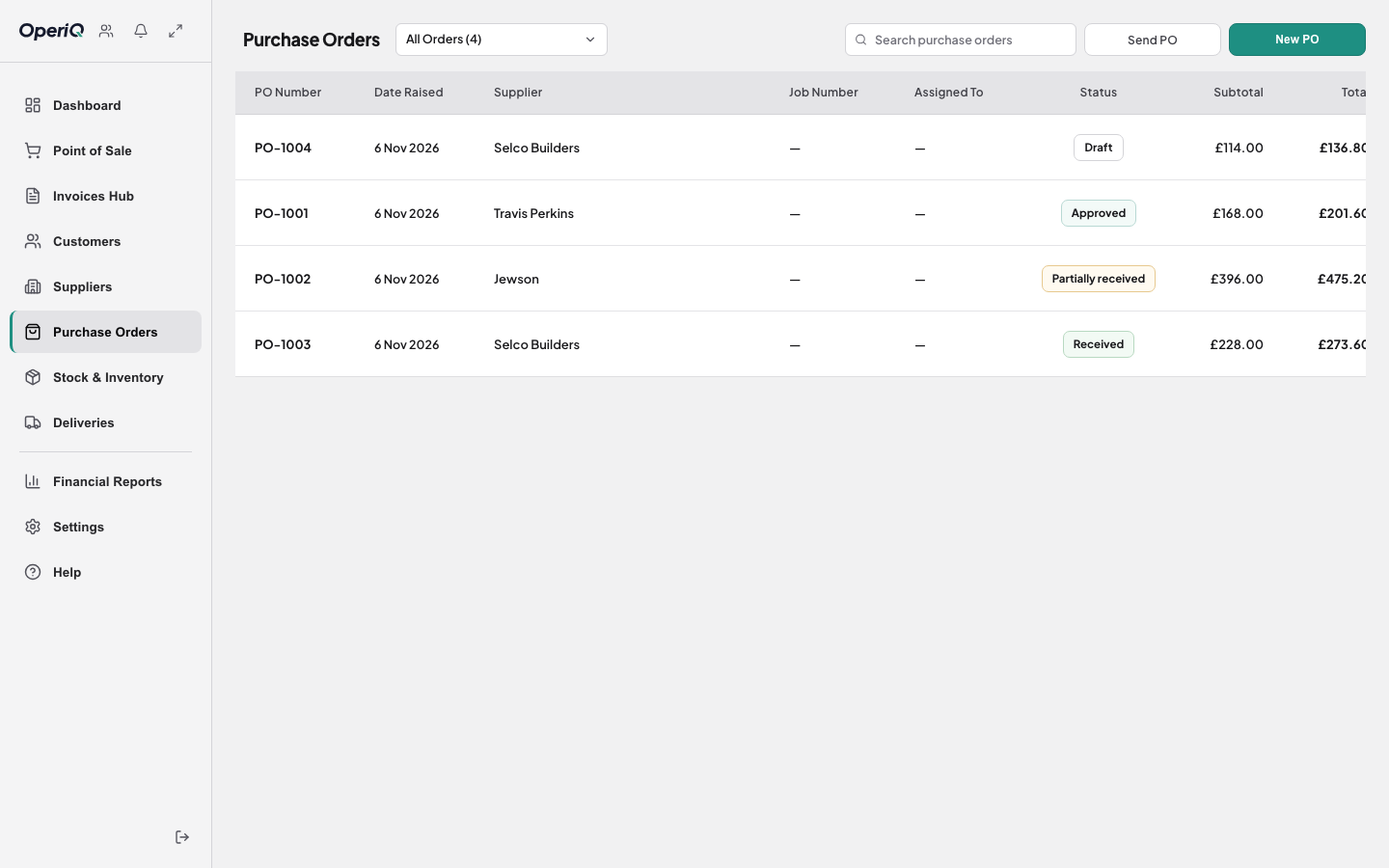
Stock, purchase orders and goods in work from the same product records your counter uses — so what you sell, what you order and what arrives all add up.
Physical, reserved, incoming
See what’s on the shelf, what’s already promised to a customer and what’s due in, before you confirm an order.
Purchase orders from low stock
Spot the lines that need attention and raise a supplier order from the same catalogue and supplier records.
Photograph the invoice
Snap or upload the supplier’s invoice. OperiQ reads the lines and matches them to your products for you to check — no typing up delivery notes.
How it works
- 1 Review See which lines need attention.
- 2 Order Raise the supplier purchase order.
- 3 Receive Match the delivery or invoice to the order.
- 4 Update Approve, and stock moves.

Goods in without the clipboard.
Most stock errors start at goods in: a short delivery that nobody records, or an invoice typed in a week later. Receiving against the purchase order — and checking the supplier’s invoice line by line — keeps the numbers honest.
Common questions
No. Stock, purchasing and goods in are part of the merchant workflow. If you need bin-level warehouse management, talk to us first.