
Product / Deliveries
From the counter to site, with proof.
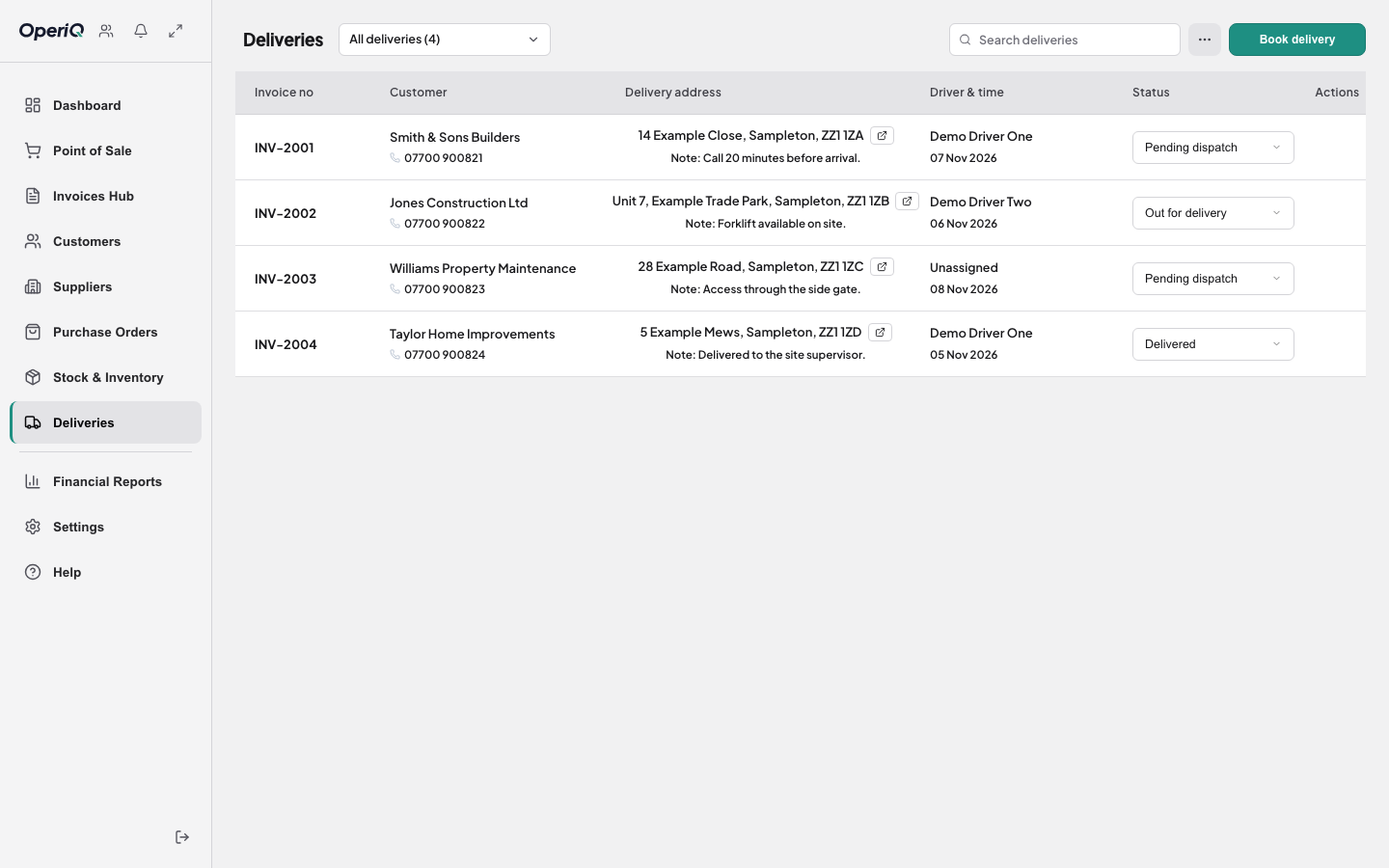
Book the delivery from the sale, assign it to a driver, and get proof of delivery back against the same order — without writing the address out twice.
Book from the sale
Customer, site address, lines and notes come straight from the order. Nothing is copied onto a delivery sheet.
Assign and plan
See what’s booked for each day and which driver has it, so the yard can load in the right order.
Proof on the driver’s phone
Drivers open their run on their own phone and capture a signature, a photo and the time at the drop. No app to install.
How it works
- 1 Order The sale is confirmed at the counter.
- 2 Book Add the delivery date and window.
- 3 Assign Give the job to a driver.
- 4 Complete Proof comes back to the order.
End the “was it delivered?” phone call.
When a customer disputes a delivery, the answer should be one click away on the invoice — not in a pile of signed paper in the van. Delivery proof is kept against the original order.
Common questions
No. Drivers use a web page on their phone and capture a signature, a photo and the time of delivery.