
Product / Trade accounts
Get paid for what goes out of the gate.
Invoices, balances, credit limits and account stops live on the customer record — visible at the counter when the sale is made, and in the office when it’s time to chase.
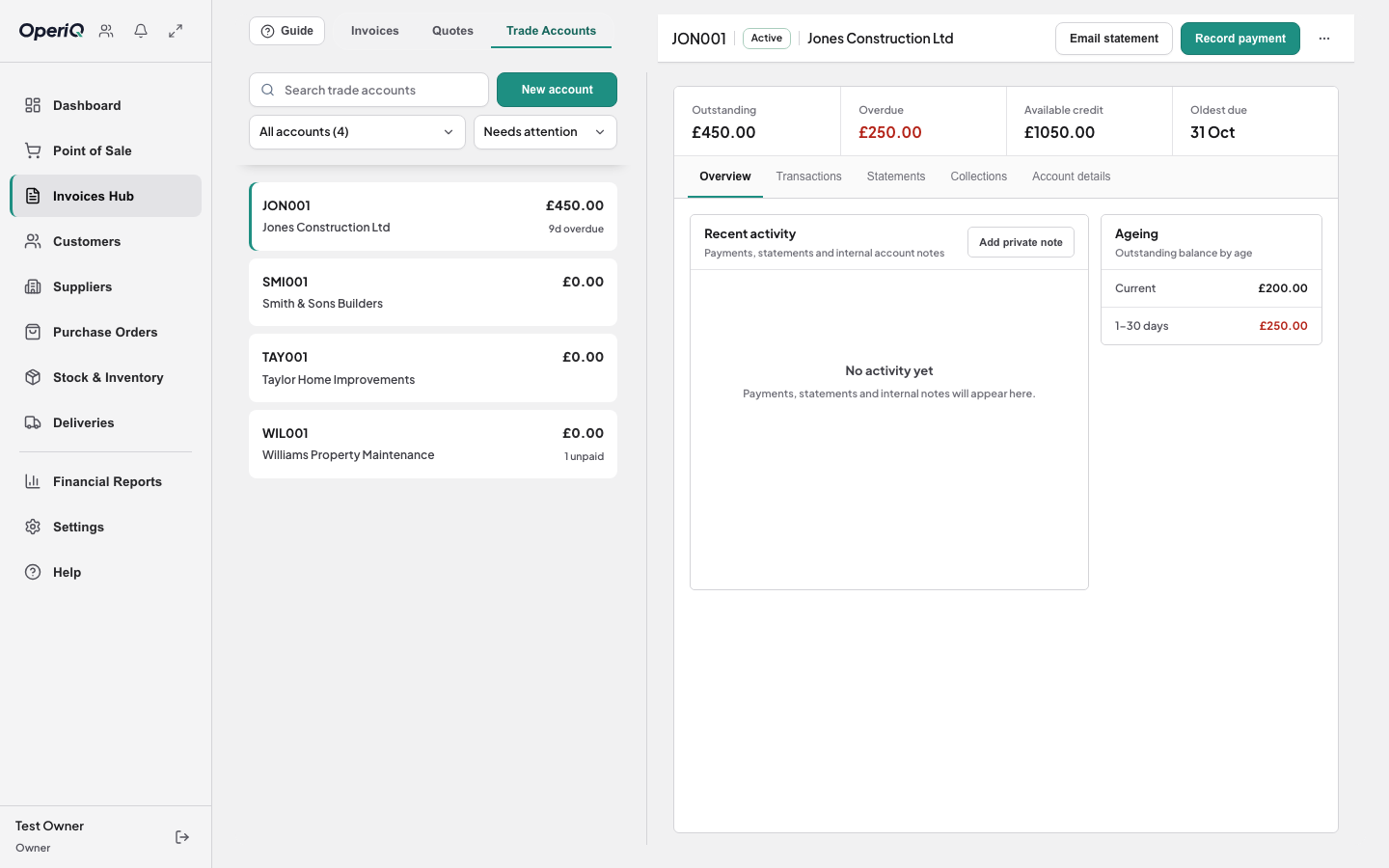
Account status at the counter
Credit limit, current balance and any account stop show before the sale is confirmed, to the staff you choose.
Invoices and allocations
Every account sale becomes an invoice on the right customer. Record payments and allocate them to the invoices they cover.
Statements from what’s already there
Prepare month-end statements from the invoices and payments already recorded — not from a separate spreadsheet.
How it works
- 1 Sell on account The invoice posts to the customer.
- 2 Watch the limit Balance and ageing update as you trade.
- 3 Record payments Allocate them to the right invoices.
- 4 Send statements Month-end, from the same records.

Credit is part of the sale.
Builders buy on account, and that is where a merchant’s cash goes missing. When the counter can see an overdue balance before loading the van, the awkward conversation happens before the stock leaves — not at the end of the month.
Common questions
You decide. Roles for owners, managers and cashiers control what each person can see and change.